Every construction project, verified from the field to the client.
ProjectAxis runs a project from the first client conversation through plans, quote, signed agreement, construction, handover and warranty. Everyone works in one place and sees only what their role needs.

One workflow, fourteen steps, nothing lost between them.
Each project follows the same path. The app shows who owns each step, and most of the tracking happens on its own as the work gets done.
Set up
Create the company, take in the client's requirements, choose a general contractor for the project and add the architect.
Plan and price
Review plan versions with comments, approve vendors and their pricing, then send the client a quote and schedule to approve in the app.
Agree and permit
Sign the agreement in the app, confirmed with an emailed code, review plans with the client and track the city submission.
Build and hand over
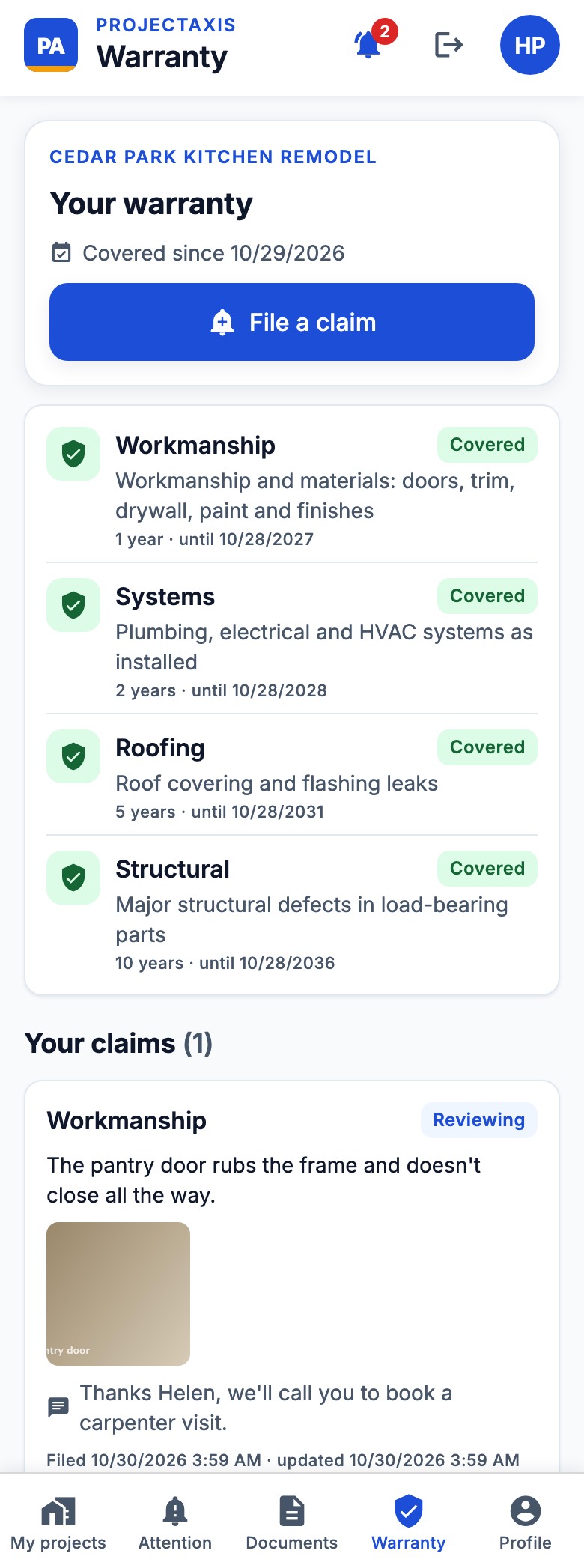
Vendors send dated, located site photos. The company reviews and publishes progress, and the client signs off the handover and has a warranty tab.
The right view for everyone on the job.
Company directors
Status, risk and contract value across every project, on a dashboard made for a laptop.
Project teams
Project managers, finance and coordinators each get the tools for their part, with money shown only to those who need it.
General contractors
Your own staff or an outside firm, chosen per project, with roles for owners, superintendents and crews.
Architects
Plan versions, review comments and the city submission, without the rest of the project's business.
Vendors
Clear scope and milestones, simple photo updates from site, and only their own work in view.
Clients
Published progress, decisions, change orders, documents and warranty, all in one place.
People see their part, and nothing else.
- Each company is separate.One company can never see another's people, projects or mail.
- Clients and vendors stay apart.Clients see work credited to the company, never vendor names or prices.
- Only reviewed work reaches the client.Photos are checked and published by the company first.
- Support access stays in your hands.Our support view is read-only and logged, hides personal details and can be switched off by your company.
Open ProjectAxis on your device.
Accounts are set up by your company. Ask your project contact for an invite.
Android
Test build for Android 8 or newer, 64-bit. Your phone may ask you to allow installs from this source.
Download APKiPhone
Available through Apple TestFlight by invitation while we're in testing. Ask your project contact to be added.
TestFlight, by invitationDirector dashboard
For company directors and administrators on a laptop or desktop. Sign in with your ProjectAxis account.
Open dashboardProjectAxis is in testing. Features and availability may change before general release.